QR Menu System
When a guest sits down and scans the code, your menu should be in front of them immediately — no app to install, no pinching to zoom, no waiting. Vinci Studio builds QR menu systems for restaurants and cafes that match your brand, load fast, and are managed from your own panel.
Professional QR Menu System Services
Scan and the Menu Opens
No app install, sign-up, or login — the guest points the camera and the menu is there.
Instant Updates from the Panel
Price, stock, and product order change in a few taps from your own panel — no waiting on a reprint.
Categories and Search
Tabs and instant search let the guest find what they are looking for in seconds.
Product Photography
Cards with photos make it easier for the guest to decide what to order.
Designed Around Your Brand
Not a template: color, typography, and card layout follow your venue's identity.
Fast Even on Weak Connections
Optimized images and a lightweight page, tested on older phones and low-bar mobile data.
Our QR Menu System Process
Menu and Photo Inventory
We collect your current menu, product list, and any existing photography, and identify what is missing.
Design
We set the color palette, typography, and card layout around your venue's identity.
Content Entry and Panel Setup
Products, categories, and prices go into the system; your admin panel is prepared.
QR Code and Table Materials
The QR code is produced and the table stand or menu card is delivered print-ready.
Launch and Training
The menu goes live and we walk your team through using the panel.
Our Projects in QR Menu System
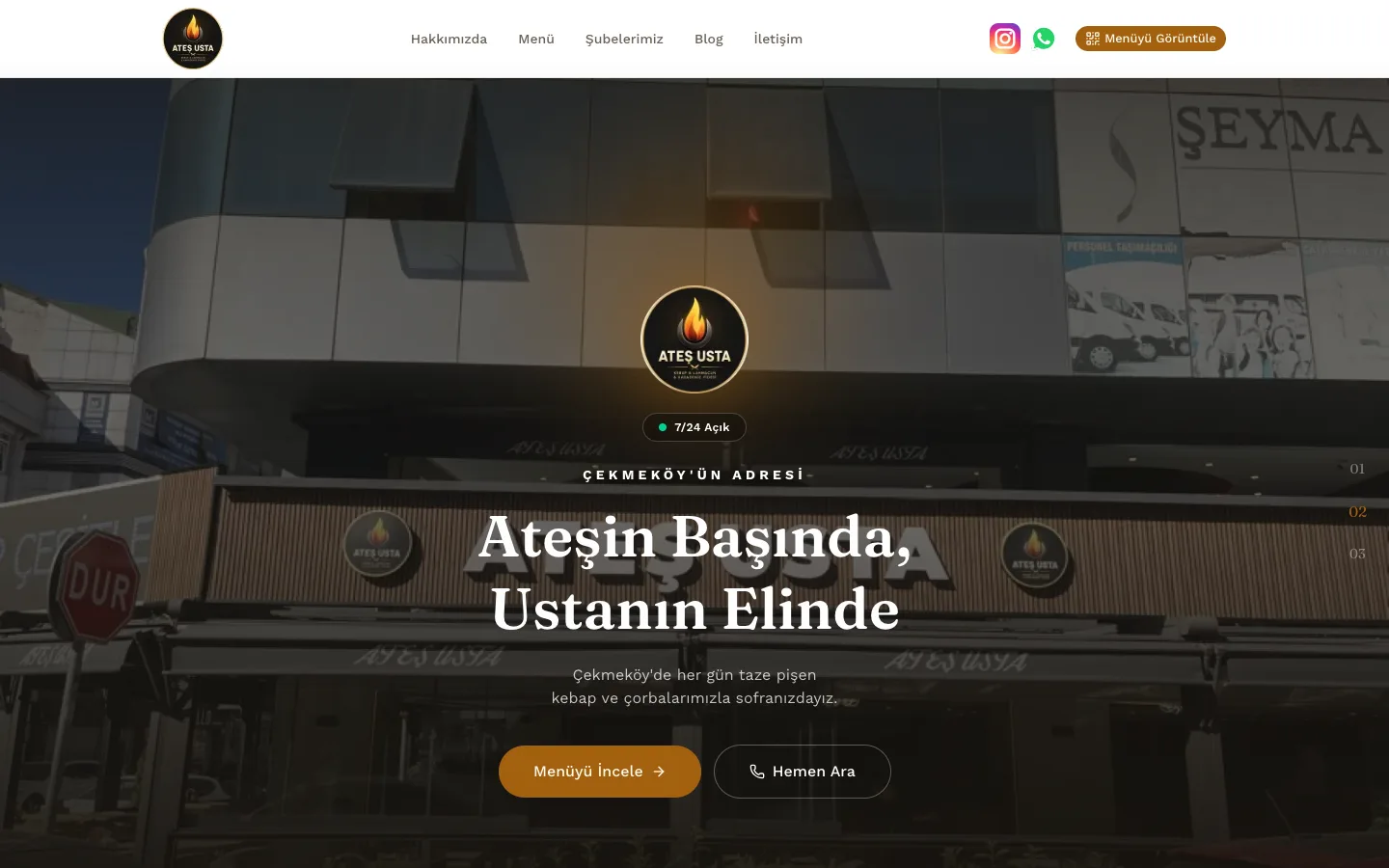
Ateş Usta
A restaurant website built from scratch for a Çekmeköy kebab-and-soup restaurant, with a QR menu system, admin panel, and SEO-focused blog.
View project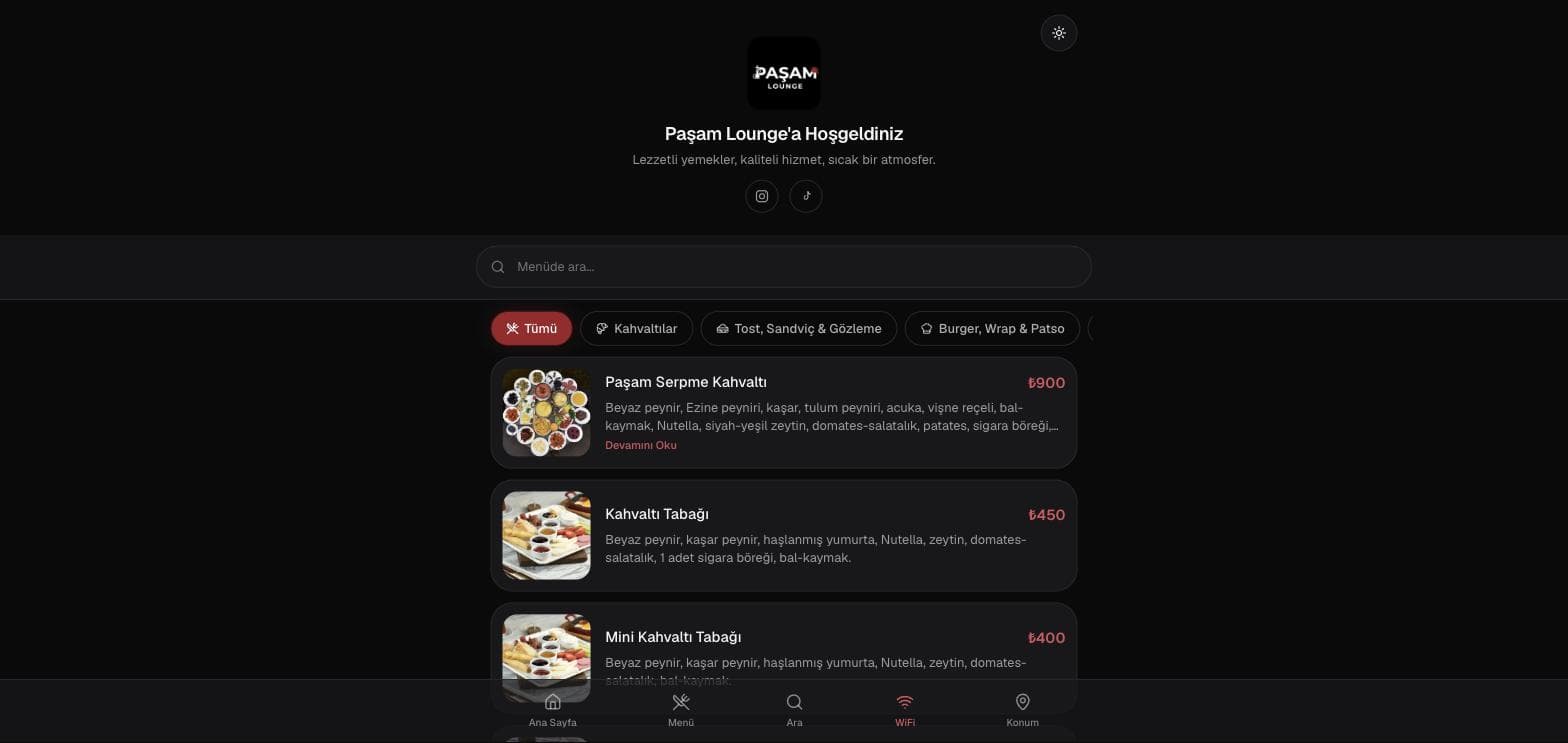
Paşam Lounge
A fast, mobile-perfect QR menu system built for a lounge running on a limited ad budget, with category tabs and live search.
View project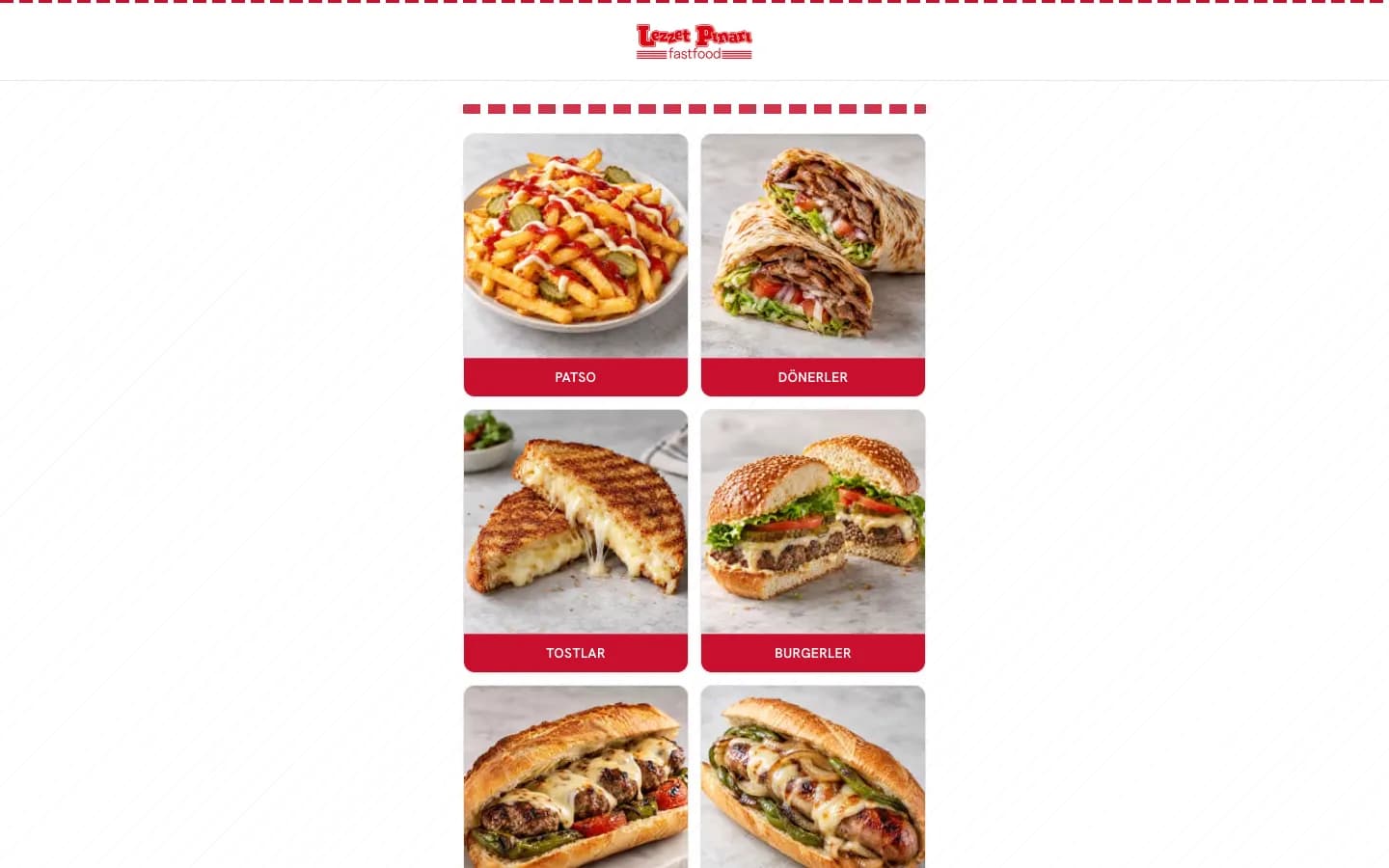
Lezzet Pınarı — Digital Menu
A mobile-first digital menu bringing together eight food categories and business information.
View projectIs Our QR Menu System Service Right for You?
Restaurants and cafes whose menus change often
Venues that want out of printed-menu reprint costs
Places sharing a cloud PDF menu that forces guests to pinch and zoom
Lounges, shisha venues, and patisseries with visual-heavy menus
Venues without an ad budget that still want a professional experience at the table
Multi-location brands that want to manage one menu from a single place
Why Vinci Studio?
Custom Design, Never a Template
Every project is designed from scratch around your brand identity — you get a genuinely original result you won't find anywhere else online.
Transparent Pricing
No surprise costs; we set a clear price and scope at the quote stage and stick to that scope at every step of the project.
SEO Built In From Day One
We treat SEO as a natural part of the work, not a service tacked on afterward — the result is search-engine-ready from the start.
Deep Türkiye Market Knowledge
We know customer behavior and market dynamics across Türkiye's different regions closely, and bring that knowledge into every project.
Support After Delivery
Our job doesn't end at delivery — we build a long-term partnership through maintenance, updates, and technical support.
Real Sales Experience
We don't just aim for a visually pleasing result — we build a conversion-focused approach that turns visitors into customers.
The Right QR Menu System Package for Your Needs
Prices cover the scope listed under each package. Anything outside it is stated separately in the quote; no hidden costs, and nothing gets added after the quote that wasn't in it.
QR Menu
₺5,000
+ 20% VAT
one-time payment · no annual renewal or setup fee
- Setup and Brand-Matched Design (Colors, Typography)
- Category and Product Management
- Admin Panel and Usage Training
- Multi-Language Support
- Multi-Branch Management
- Product Search and Category Tabs
- Campaign / Daily Special Area
- Allergen and Ingredient Fields
- QR Code and Table Stand Design (Print-Ready)
- Image Optimization
Everything About QR Menu System
Most venues today either keep a printed menu or upload a PDF to the cloud and point a QR code at it. Both end up in the same place: when a price changes, you are looking at either a reprint cost or a slow document that has to be zoomed in on a phone. A QR menu system removes both problems at once.
What a QR Menu Is — and How It Differs from a PDF
A QR menu is a web page designed for a phone screen that opens when the code on the table is scanned. The key difference from a PDF in the cloud is that it is an interface, not a document.
With a PDF, the guest has to zoom and pan, the file is slow to open, and changing one price means rebuilding the whole document. With a QR menu, content comes from a database: type sizes are set for the phone, switching between categories is instant, and changing a single price in the panel means the next guest sees the current one.
- No app install or sign-up — scan the code, the menu opens
- Type sizes and tap targets designed for phone screens
- Category tabs and product search
- Product image, description, and price on the same card
Admin Panel: Price Changes Without a Reprint
On the business side, the system comes with your own admin panel. Prices, stock status, product order, and category structure are all updated there — no technical knowledge needed, no call to us required.
This is the part that matters most day to day: temporarily hiding an item that ran out, closing the lunch menu in the evening, or updating a price takes a few taps. On a printed menu, that means either crossing something out or waiting on a new print run.
Who keeps the panel?
The panel is handed over to you and all the data in it is yours. Your team can run updates, or we can take them on under a maintenance agreement.
The Menu Should Look Like Your Brand, Not a Template
On most off-the-shelf QR menu services, your menu appears inside the platform's own design; your colors, type, and logo only get as much room as that template allows. Since this is the first digital touchpoint a guest has with you, it matters that the menu speaks your brand's language.
In the systems we build, the color palette, typography, and card layout follow the venue's identity. Product photography is part of that layout — a menu without photos makes it harder for a guest to decide what to order.
Speed: It Has to Open on Restaurant Wi-Fi Too
The most critical technical property of a QR menu is speed. The moment a guest starts waiting after scanning, the experience breaks — and this usually happens on weak Wi-Fi or a single bar of mobile data.
So menus are built light: images are optimized for screen size, unnecessary scripts are left out, and pages open properly on older phones. The goal is that the guest who scans never feels like they are waiting.
- Images optimized for screen size
- Tested on older phone models
- Lightweight page structure that opens on weak connections
Table Materials and Setup
The system is not only what is on screen. How the QR code sits on the table — and whether the guest notices it — matters just as much.
Within the project we produce the QR code, design the table stand or menu card, and hand over print-ready files. After launch, we walk your team through using the panel.
Who It Suits
A QR menu system makes sense for any venue with a changing product list and table service: restaurants, cafes, hotels, lounges, and patisseries.
It is a particularly sound first investment for venues without an advertising budget: the guest sitting at your table is already there — the only question is whether you greet them with a professional experience or a PDF they have to zoom into.
From Setup to Launch: The Process
Setting up a QR menu takes less work than most businesses expect — but the order matters. Most of the effort goes into getting the menu into digital form, not the technical setup.
The process starts when your menu reaches us. A printed menu, a spreadsheet, a photograph or a handwritten list — whatever you have is what we start from. Items are grouped into categories, descriptions and prices are entered, and product photographs are placed if you have them.
The menu is then styled to your brand: colour, typeface, logo. The final step is generating the QR code and preparing the table materials. After launch we show you how to use the panel; you won't need to come back to us to change a price or hide an item.
1. Your menu reaches us
A printed menu, a spreadsheet, a photograph or a handwritten list — whatever you have is enough.
2. Digitising
Categories, items, descriptions and prices are entered. Product photographs are placed if available.
3. Brand styling
Colour, typeface and logo are set to your business. We don't leave it looking like a template.
4. QR code and materials
The QR code is generated and table materials prepared. Panel usage is explained.
What Exactly Can You Do in the Panel?
The admin panel does more than change prices. These are the things used most in day-to-day operation.
You can add and remove items and categories and change their order — what a guest sees first has a real effect on sales, and you control that order. You don't have to delete an item that's out of stock; you can hide it temporarily and bring it back in the evening.
You can open a separate category for a daily special, a promotion or seasonal items and close it whenever you like. A price update happens in one field and goes live immediately; there's no waiting for print. More than one person can access the panel, so a manager or chef can make updates as well as the owner.
- Adding, removing and ordering items and categories
- Temporarily hiding a sold-out item without deleting it
- Daily special and promotion categories
- Price updates that go live immediately
- Panel access for more than one person
The Pricing Model: One-Off, No Annual Fee
The common model in the QR menu market is a subscription: a low setup fee, then a recurring charge every year. We don't work that way.
With us a QR menu is a single one-off price — the figure is stated openly at the bottom of this page. There is no annual renewal or recurring setup fee. The price covers the scope listed; an out-of-scope request (a custom integration, for instance) is written as a separate line in the proposal.
Our reasoning: a QR menu built properly runs the same way for years. To charge a fee every year there has to be new work involved; otherwise it isn't a service, it's a rental. If you plan to change the menu heavily or you have many branches, we discuss the scope upfront.
- One-off payment, no annual renewal fee
- The price is stated openly at the bottom of this page (excluding VAT)
- Out-of-scope requests become a separate line in the proposal
- For multi-branch businesses the scope is discussed upfront
What We Need From You, What We Deliver
To begin, the menu you already have is enough. The format doesn't matter: a photograph of the printed menu, a spreadsheet or a handwritten list. Your logo and brand colours if you have them, plus any product photographs.
If you don't have product photographs the menu still works properly without them — they aren't required. But items with photographs tend to be ordered more often; if you need them, a shoot can be arranged under our production service.
Delivery includes the published menu, the admin panel, the QR code files (at print resolution) and the table material design. We show you how to use the panel and leave you able to manage the menu yourself.
- From you: the menu (any format), logo, brand colours and product photographs if available
- From us: published menu + admin panel + a panel walkthrough
- QR code files at print resolution
- Table material design
Frequently Asked Questions
It depends on how many items your menu has and whether the photography is ready. If the product list and photos are in hand, setup is short; if content entry and a photo shoot are also in scope, it takes longer. We share a clear timeline for your specific project in our first call.

Let's Talk About Your QR Menu System Project
Tell us what you need and we'll prepare a custom roadmap and quote for you.