Short answer: the two don't have to be mutually exclusive, but for businesses with frequently changing prices and a mobile-first guest base, a QR menu offers a clear operational advantage. Industry data suggests a large share of restaurants have already made the switch to digital menus (QR menu usage forecast, 2026).
In this guide, we compare QR menus against printed menus across three concrete criteria: cost, update speed, and guest experience.
Which One Comes Out Ahead on Cost?
A printed menu's upfront cost can look low, but every price change comes with a recurring print expense; especially during periods of frequent price changes, that expense accumulates into a real, ongoing cost over a year. With a QR menu, the cost of an update drops to practically zero, since changes are made through the admin panel.
On the other hand, a QR menu itself requires an upfront setup investment; how quickly that investment pays off is directly tied to how often the business updates its prices and products. For a business whose prices rarely change, that payback is slower; for one that updates frequently, it happens quite fast.
What Hidden Costs Does a Printed Menu Carry?
Beyond print costs, there are indirect expenses too — disposing of old menus, replacing worn-out ones, and the need to swap menus out frequently for hygiene reasons. Each of these looks small on its own, but they add up to a meaningful total over the course of a year.
How Big Is the Difference in Update Speed?
On a printed menu, a price or product change usually takes days: new design, printing, distribution. On a QR menu, that process takes minutes; a change made in the admin panel appears on every table instantly.
This difference is especially decisive for short-lived campaigns (a weekend special, a deal of the day); running that kind of campaign with a printed menu is far more impractical.
A printed menu is a one-time cost; a QR menu is an operational investment that pays for itself over time.
Which One Delivers a Stronger Guest Experience?
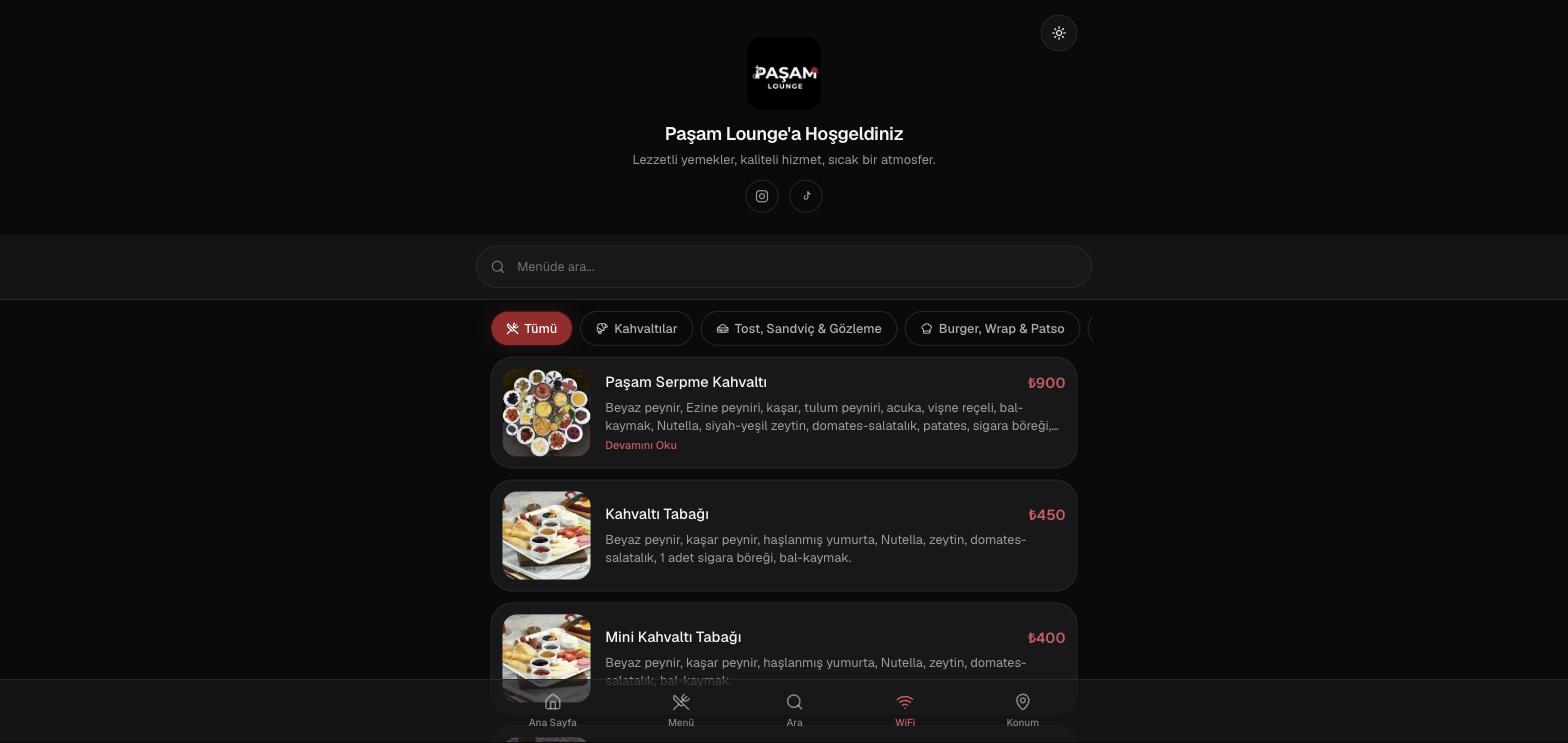
A QR menu, with its category tabs and live search, lets a guest find what they want within seconds; on a printed menu, that same process means flipping through pages more slowly. On the other hand, some guests — particularly older ones or those less comfortable with technology — may still prefer a physical menu.
That's why many businesses choose to use both together — keeping the physical menu while offering the QR menu as a complementary channel. It's a balanced approach that serves both guest profiles.
Which Approach Makes More Sense for Which Type of Business?
For cafés and restaurants with frequently changing prices, serving a young, mobile-first customer base, a QR menu offers a clear advantage. For businesses with a more traditional guest profile and rarely changing prices, a physical menu can still be enough — or using both together is the most balanced choice.
Why Vinci Studio?
When we build a QR menu system, our goal isn't to force a business into an "either QR or printed" choice — it's to find the combination that actually fits its needs. What sets us apart in our Renaissance-spirited approach to digital production:
- A QR menu or hybrid (QR + physical) recommendation based on the business's real needs
- Near-zero operational cost through instant price/stock updates from the admin panel
- A system proven live on real projects (Ateş Usta, Paşam Lounge)
- A flawless, fast-loading mobile menu experience
How Do Businesses Actually Make This Decision in Practice?
On the Ateş Usta project, the business chose to support its physical menu boards with a QR menu rather than replacing them entirely; tables carry both a physical menu and a QR code, and guests can use whichever they prefer. This hybrid approach served both traditional and digital-leaning guests.
Paşam Lounge was a different situation: the business had just opened and had no corporate website yet; under those conditions, the QR menu became the sole center of the business's digital presence. Even potential guests coming from social media could see the menu directly, without a website in between.
These two projects show how flexibly the same system can work across two very different scenarios: one as a supporting layer, the other as the business's entire digital face.
What Questions Should Guide This Decision?
A business's current guest profile, how often prices change, and its existing digital presence (does it have a website or not) are the three main factors behind this decision. The answers to these three questions make it clear whether a QR menu, a hybrid approach, or sticking with a printed menu for now makes the most sense.
What Does This Decision Process Look Like in Practice?
For a newly opened business with limited digital presence, starting with a QR menu; for an established business with a traditional guest base, starting with a hybrid approach and gradually strengthening the digital side over time.
Points to clarify when deciding between a QR menu and a printed menu:
- How often do prices or stock change? Frequent changes directly increase the advantage of a QR menu.
- How comfortable is your guest base with mobile technology? This affects whether a hybrid or fully digital approach makes more sense.
- Does the business have another digital presence (website, social media)? If not, a QR menu can partially fill that gap.
- Will the budget go toward a one-time print run, or a long-term system?
Once the answers to these questions are clear, the right choice for the business owner usually becomes obvious on its own.
Common Mistakes
The most common mistakes businesses make when deciding between a QR menu and a printed menu:
- Switching entirely to a QR menu without ever assessing the guest profile
- Keeping the printed menu but never updating it, and never promoting the QR menu either
- Insisting on a printed menu without accounting for how often prices actually change
- Setting up a QR menu but not placing it visibly on the tables
- Making an "all or nothing" decision without ever evaluating a hybrid approach
How Should This Decision Differ for Businesses in Tourist Areas?
For businesses operating in tourist areas, the need for a multilingual menu directly shapes this decision; offering multiple languages on a printed menu significantly increases page count, while switching between language options on a QR menu is technically far simpler.
What Does This Difference Look Like in Practice?
For a business with a high share of foreign guests, a QR menu becomes not just an operational solution but a direct driver of guest satisfaction.
Who Will Benefit Most From This Guide?
For restaurant and café owners who haven't yet decided between a QR menu and a printed menu and want a clear view of the pros and cons of each, this comparison offers a direct decision-making tool.
It's also useful for businesses already using a printed menu but tired of print costs, wanting to see how much of a real difference switching would actually make.
- Business owners undecided between a QR menu and a printed menu
- Restaurants and cafés tired of printed menu costs, looking for an alternative
- Businesses in tourist areas needing a multilingual menu
Conclusion: Take Action Now
Would you like to work out together whether a QR menu or a hybrid approach makes more sense for your business? At Vinci Studio, we listen to your needs, map out a roadmap tailored to you, and report transparently throughout the process. Get in touch with us or send your request in seconds using the "Get a Quote" button on the homepage.